
What is Hard Drive Recycling?
Hard drive recycling is the process of collecting used or obsolete drives, securely erasing all stored data, dismantling them into their component parts, and sorting those materials for recovery and reuse. Hard drive recycling protects sensitive information while reducing electronic waste and conserving valuable resources such as aluminum, copper, and rare earth metals.
The three main ways to recycle a hard drive are securely erasing data and recovering components, degaussing to wipe data before material recovery, and shredding the drive into small fragments for sorting and recycling. Each method ensures that all data is destroyed before the physical materials are processed, protecting sensitive information while allowing valuable metals and parts to be recovered for reuse.
Recycling differs from hard drive destruction in that destruction focuses solely on rendering the drive unusable, often through crushing or drilling, without recovering materials. Recycling includes secure data destruction but also salvages and reuses components, making it both a security measure and an environmentally sustainable practice.
How to Recycle Old Hard Drives?
To recycle old hard drives, you can follow the instructions below.
E‑waste recycling centers are a way to recycle old hard drives because they are equipped to securely destroy data and recover valuable materials in compliance with environmental standards. They prevent sensitive information from being exposed while ensuring metals, plastics, and other components are reused instead of ending up in landfills.
The e-waste recycling process starts with collecting and transporting drives to the facility, where they are sorted and prepared. Data is destroyed through secure wiping, degaussing, or shredding. The drives are then dismantled, and materials are separated for recovery.
Retailer Take‑Back Programs
Retailer take‑back programs recycle old hard drives by providing convenient drop‑off points where devices are collected and sent to certified recyclers. These programs ensure secure data destruction and recovery of reusable materials.
The process involves customers bringing drives to participating stores, which then transfer them to recycling partners for data wiping or physical destruction, followed by dismantling and material separation.
Manufacturer Recycling Programs
Manufacturer recycling programs let you return old hard drives directly to the company that made them, ensuring secure data destruction and responsible material recovery.
The process involves registering the device, sending or dropping it off at an authorized location, and having the manufacturer’s recycling partner wipe or destroy the data before dismantling the drive and separating materials for reuse.
ITAD companies recycle old hard drives by securely retiring IT equipment in compliance with data protection and environmental standards.
The ITAD process includes inventorying drives, erasing or destroying data, dismantling the hardware, and separating materials for recycling or reuse. This ensures both data security and sustainable disposal.
Community Recycling Events
Community recycling events are a way to recycle old hard drives by offering convenient, local drop‑off points where residents safely dispose of electronics. Organized by municipalities or environmental groups with certified recyclers, these events ensure secure data destruction and proper material recovery, preventing sensitive information leaks and reducing e‑waste.
The process involves bringing drives to the event site, where they are collected, transported to a certified facility, securely wiped or physically destroyed, then dismantled for metals, plastics, and other reusable materials. This approach combines public accessibility, data protection, and environmentally responsible disposal.
Donation and Refurbishing
Donation and refurbishing recycles old hard drives by securely erasing all data, testing functionality, and repairing if needed so they can be reused in refurbished systems.
The process extends the drive’s life by installing it into donated or low‑cost computers for schools, charities, or community programs, reducing e‑waste while ensuring data security and providing affordable technology access.
What are the Pros of Recycling a Hard Drive?
The pros of recycling a hard drive are discussed below.
The pros of recycling a hard drive are discussed below.
What are the Cons of Recycling a Hard Drive?
The drawbacks of recycling a hard drive include potential data security risks if wiping or destruction is not done properly, as sensitive information could be recovered. Recycling involve costs for secure processing, transportation, or certified disposal services. While intended to protect the environment, the process itself may have an environmental impact through energy use and emissions from transport and processing. Recycling takes longer than simple disposal, as it requires secure data removal, dismantling, and material separation before final recovery.
What is the Hard Drive Recycling Process?
The hard drive recycling process involves four key stages and these stages are collecting the drives, securely erasing the data they contain, dismantling them into their component parts, and sorting those materials for recovery and recycling.

1 – Develop a Comprehensive Asset Plan
Identify and document all assets in the data center, including physical components such as servers, networking equipment, storage arrays, cabling, and environmental systems. A thorough plan ensures visibility and value tracking throughout the process.

2 – Remove Equipment Carefully
All hardware must be disconnected and removed with precision to avoid damage that impacts resale or reuse value. When internal expertise is limited, it’s advisable to engage a professional data center decommissioning provider to oversee or support this phase.

3 – Perform Secure Data Destruction
Once equipment is offsite or isolated, any stored data must be securely destroyed. This is achieved through certified data erasure, physical destruction, or encryption-based sanitization, depending on asset disposition requirements.

4 – Conduct Site Cleanup and Environmental Remediation
After asset removal, the facility should be cleaned and remediated. This includes eliminating hazardous materials, cleaning all surfaces, and ensuring compliance with environmental and lease return standards.
1 – Collecting the Drives
Gather drives from individuals, businesses, or institutions through e‑waste centers, take‑back programs, IT asset disposition services, or community events.
2 – Securely Erasing the Data
Permanently remove all stored information using certified wiping software, degaussing, or physical destruction of platters before any physical processing.
3 – Dismantling into Component Parts
Open drives and separate their main materials, such as aluminum casings, circuit boards, magnets, and wiring, enabling targeted recovery of valuable metals like copper, gold, and rare earth elements.
4 – Sorting for Recovery and Recycling
Sort materials by type and send them to specialized facilities for refining and reuse, reducing the need for raw material extraction, lowering manufacturing emissions, and supporting a circular economy by returning recovered resources to production.
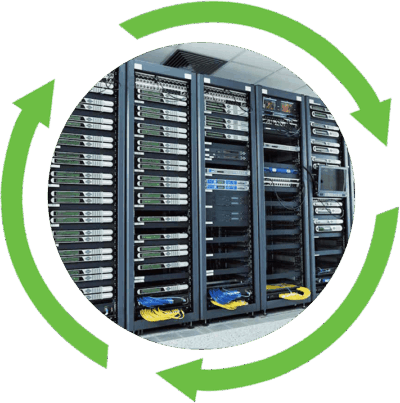
What is Electronic Waste (E‑Waste)?
Electronic waste (e‑waste) is any electrical or electronic equipment, whether still operational or not, that has been discarded because it is unwanted, obsolete, or no longer functional. This includes devices disposed of due to malfunction as well as working equipment replaced by newer models.
E‑waste covers a wide range of items, from computers, mobile phones, and televisions to household appliances, medical devices, and industrial electronics. Once discarded, these products become waste that contains valuable recoverable materials like aluminum, copper, and gold, but also hazardous substances such as lead, mercury, and cadmium.
Proper handling and recycling of e‑waste are essential to prevent environmental contamination, protect human health, and recover finite resources. Without safe disposal, toxic components leach into soil and water, while valuable materials are lost instead of being reused in manufacturing.
Why is electronic waste (e‑waste) a problem?
Electronic waste is a problem because it is one of the fastest‑growing waste streams in the world, and when not properly managed, it releases toxic substances such as lead, mercury, and cadmium into the environment. These pollutants contaminate soil, water, and air, posing serious health risks to humans and wildlife. Improper disposal, especially through informal recycling or open burning, exposes workers and nearby communities to hazardous chemicals, with children and pregnant women being particularly vulnerable.
Can a hard drive be recycled?
Yes, a hard drive can be recycled, but it is complex due to the need for secure data destruction, the challenge of separating mixed materials, and strict environmental compliance. IT Asset Disposition (ITAD) providers and certified e‑waste companies manage these steps by ensuring data is erased or destroyed, components are dismantled and sorted, and all processes meet regulatory and environmental standards.
Are Hard Drives Recyclable?
Yes, hard drives are recyclable because they contain valuable materials like aluminum, copper, and rare earth metals are recoverable. They qualify as e‑waste that should be kept out of landfills to prevent environmental harm, and is processed through certified methods that ensure secure data destruction while enabling material reuse.
When Should Hard Drives be Recycled?
Hard drives should generally be recycled when they are at least 5 years old, as this is when the risk of failure increases significantly. For traditional Hard Disk Drives (HDDs), the typical lifespan is about 4 to 7 years, with mechanical wear from moving parts often leading to failure sooner if the drive is heavily used or exposed to heat, vibration, or shock.
Solid‑State Drives (SSDs) last longer, averaging 5 to 10 years, since they have no moving parts and are more resistant to physical damage. However, SSDs wear out based on the number of write cycles, and data retention can degrade if they remain unpowered for long periods.
What is ITAD and how does this impact hard drive recycling?
ITAD stands for Information Technology Asset Disposition, the practice of securely and responsibly managing the end‑of‑life process for IT equipment. In hard drive recycling, ITAD providers handle the entire process from collection to final disposal, ensuring compliance with data privacy laws and environmental regulations. They specialize in secure data destruction through wiping, degaussing, or shredding before recycling or repurposing the hardware, often using hard drive shredding to securely erase all data.